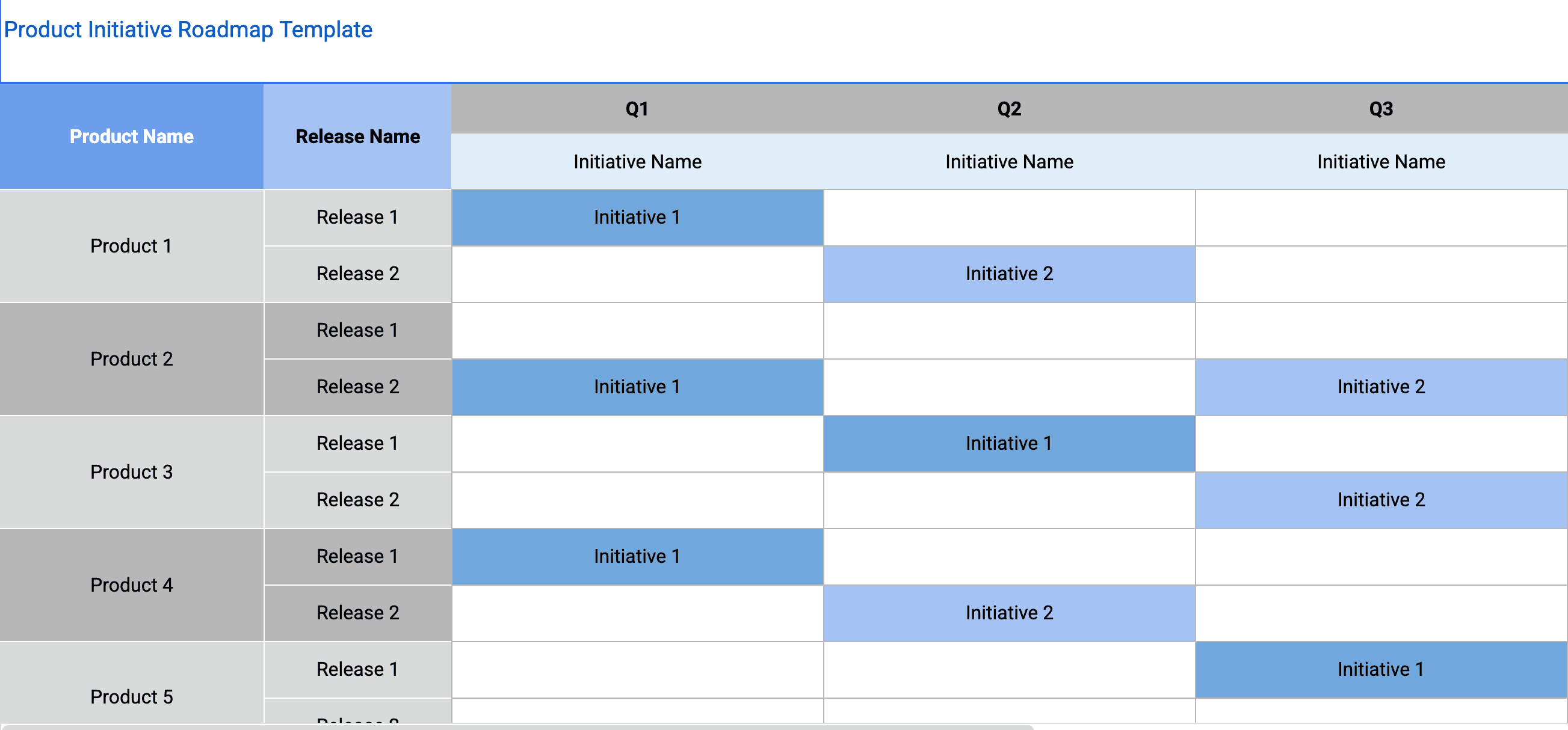
Quick Answer (TL;DR)
This free Google Sheets product initiative roadmap template helps you plan, prioritize, and track strategic product initiatives in a collaborative spreadsheet. It bridges the gap between high-level strategy and day-to-day execution by giving every initiative a clear timeline, owner, and connection to business outcomes.
What This Template Includes
Why Use Google Sheets for Your Initiative Roadmap
Product initiative roadmaps serve two audiences: the execution team that needs operational detail and the leadership team that needs strategic summary. Google Sheets handles both through multiple tabs within a single workbook. The detail tab has every field your team needs for execution, while the summary tab aggregates status for stakeholder reviews.
The real-time collaboration of Google Sheets is especially valuable for initiative roadmaps because these documents involve input from multiple stakeholders — product, engineering, design, marketing, and leadership. Rather than emailing spreadsheet attachments back and forth, everyone edits the same live document with full version history.
Google Sheets also makes resource planning practical. You can build simple formulas to total up estimated effort per team per quarter and immediately see if you are over-committing. This kind of capacity math is cumbersome in presentation-based roadmapping tools but natural in a spreadsheet.
Template Structure
Initiative Definition Tab
Each initiative gets a dedicated row with structured fields that capture everything a stakeholder needs to understand the effort. The fields include: a one-sentence objective statement that describes the desired outcome (not the output), two to four key results that will measure success, the executive sponsor and initiative lead, the list of contributing teams, the estimated duration, and the current lifecycle stage (Proposed, Approved, In Progress, Delivered, Measuring). Well-defined initiative entries are the foundation of the entire roadmap. If the objective is vague or the key results are not measurable, the initiative will drift and lose alignment as execution progresses. In Google Sheets, you can use data validation to enforce lifecycle stage values and conditional formatting to highlight initiatives with missing key results.
Strategic Alignment Map
This tab creates a visual connection between initiatives and the company’s top-level strategic objectives. It is structured as a matrix with strategic pillars as columns and initiatives as rows. Each cell indicates the strength of the connection: primary (the initiative directly drives this objective), supporting (the initiative contributes indirectly), or none. The alignment map serves two critical purposes. First, it validates that your initiative portfolio is balanced — if every initiative maps to only one strategic pillar, the others are being neglected. Second, it provides instant justification for every initiative. When someone asks "Why are we doing this?" the answer is one glance away. Sheets’ conditional formatting can color-code the strength of each connection for easy scanning.
Cross-Functional Contribution Model
Initiatives are, by definition, cross-functional. This tab documents which teams contribute to each initiative, what they are responsible for, and how much of their capacity is committed. A typical initiative might involve engineering (building the product), design (research and UX), data science (modeling and analysis), marketing (positioning and launch), and customer success (enablement and rollout support). Making these contributions explicit prevents the common failure mode where an initiative is "owned" by product but silently depends on four other teams that have not been consulted or capacity-planned. In Sheets, you can build formulas to sum capacity commitments per team across all initiatives and flag when a team is overallocated.
Progress and Health Dashboard
The dashboard tab provides a real-time view of initiative health. Each initiative displays a traffic-light status (green, yellow, red), the percentage of key results achieved, and a brief narrative update from the initiative lead. The dashboard is designed for two audiences: executives who need a five-minute portfolio scan, and initiative leads who need to spot cross-initiative patterns (for example, three initiatives simultaneously at risk due to a shared infrastructure dependency). Keeping the dashboard updated weekly ensures that problems surface early when they can still be addressed. Sheets’ conditional formatting handles the traffic-light visualization automatically based on the status dropdown.
Stakeholder Communication Tab
Regular, structured communication is what keeps stakeholders engaged and aligned. The template includes pre-built formats for three communication rhythms: a weekly status snippet (three sentences — what happened, what is next, what is blocked), a monthly initiative review (deeper dive with key result progress and risk updates), and a quarterly business review section (strategic narrative connecting initiative outcomes to business results). Having these templates ready eliminates the overhead of crafting updates from scratch and ensures consistency across all initiatives. In Sheets, each initiative owner fills in their row, and the summary formulas aggregate across initiatives automatically.
How to Use This Template
1. List all candidate initiatives
Start by entering every initiative your team is considering — approved or not — into the registry. Include the initiative name, a one-paragraph business case, the sponsoring stakeholder, and the strategic theme it supports. Work with your product leadership and executive team to identify the three to seven strategic initiatives for the current quarter or half.
Why it matters: Initiatives should be few enough to maintain focus and large enough to move business metrics. Capturing all candidates first — before filtering — ensures you cannot prioritize what is not visible. Defining them clearly up front prevents scope creep and ensures everyone is working toward the same outcome.
2. Score, prioritize, and map strategic alignment
Use the impact scoring columns to evaluate each initiative against consistent criteria: revenue potential, customer impact, strategic alignment, and estimated effort. Sort by score to create a stack-ranked list. Then place each approved initiative on the strategic alignment map and confirm with your executive sponsor that the alignment is accurate and that the portfolio is balanced across strategic pillars.
Why it matters: Alignment mapping is your quality check. It reveals gaps in strategic coverage and prevents the common mistake of overinvesting in one area while neglecting others. Impact scoring creates a data-driven prioritization framework that depersonalizes difficult trade-off decisions.
3. Identify contributing teams and secure capacity
For each approved initiative, identify every team that needs to contribute. Meet with each team’s lead to confirm their capacity commitment and document it in the cross-functional contribution model. Set start and end dates based on team capacity. Watch for quarters where multiple initiatives compete for the same team — that is a signal to sequence rather than parallelize.
Why it matters: Initiatives fail when they depend on teams that have not committed capacity. Securing commitment early and documenting it creates accountability and prevents mid-flight surprises. Resource allocation formulas in Sheets catch overcommitment before it causes delivery problems.
4. Build the stakeholder summary and set up tracking
Configure the progress dashboard with each initiative’s key results and assign owners for weekly status updates. Establish what green, yellow, and red mean for your team — for example, green means key results are on track, yellow means one key result is lagging, red means the initiative is at risk of missing its objective. Customize the stakeholder summary tab for your audience — executives typically want initiative name, owner, status, and expected impact.
Why it matters: Consistent status definitions prevent the "watermelon effect" where everything looks green on the outside but is red underneath. The summary tab becomes your go-to view for leadership reviews without requiring separate preparation.
5. Update and communicate regularly
Set a monthly cadence for initiative status updates. Each initiative owner updates their rows. The summary tab refreshes automatically. Use the comment feature to capture decisions and context that explain status changes. Schedule weekly, monthly, and quarterly communication touchpoints using the included templates and distribute the first stakeholder update within the first week to set expectations.
Why it matters: Proactive communication builds trust. Stakeholders who receive regular updates are far less likely to micromanage or demand ad-hoc status meetings. Monthly updates also keep the roadmap credible and provide a paper trail of strategic decisions over time.
When to Use This Template
The initiative roadmap is the right choice when your product strategy involves coordinated efforts that span multiple teams and require dedicated investment over weeks or months. If your product planning operates at the feature level and does not require cross-functional coordination, a feature roadmap is a simpler and more appropriate tool. But if you are running strategic bets that require engineering, design, data, marketing, and customer success to work together toward a shared outcome, the initiative roadmap provides the structure to make that coordination successful. The Google Sheets format is the right choice because it handles both operational detail and executive summary views in a single workbook, with real-time collaboration and formula-based capacity tracking.
This template is especially valuable for product organizations that have adopted OKRs or a similar goal-setting framework. Initiatives are the bridge between goals (what you want to achieve) and features (what you will build). Without this middle layer, teams often struggle to connect their daily work to the company’s strategic direction, leading to misalignment and wasted effort.
This template is ideal for product leaders who report to executive teams and need a clear, defensible view of where product investment is going. It is also valuable during annual planning when you need to propose and justify a portfolio of initiatives for the coming year.
Mid-size to large product organizations — typically those with three or more product teams — will find this template most useful. Smaller teams with a single product team may find that a goals-based roadmap provides enough strategic context without the overhead of formal initiative tracking. However, even small teams benefit from initiative-level thinking when they are tackling problems that require coordination with non-engineering functions like sales, marketing, or partnerships. If your organization is growing beyond a single product team and you need to coordinate initiatives across multiple squads, this template provides the shared visibility that prevents duplicate work and conflicting priorities.