Quick Answer (TL;DR)
This free PowerPoint template helps you scope and sequence your minimum viable product by sorting features into Must-Have, Should-Have, Could-Have, and Won't-Have categories. Each phase maps to a delivery milestone so the team knows exactly what ships in V1 versus what waits. Download the .pptx, drop in your features, and use it to align engineering, design, and stakeholders on the smallest product that validates your core hypothesis.
What This Template Includes
- Cover slide. Title slide with product name, target launch date, and team leads.
- Problem and hypothesis slide. One-page framing of the user problem and the bet you are making with this MVP.
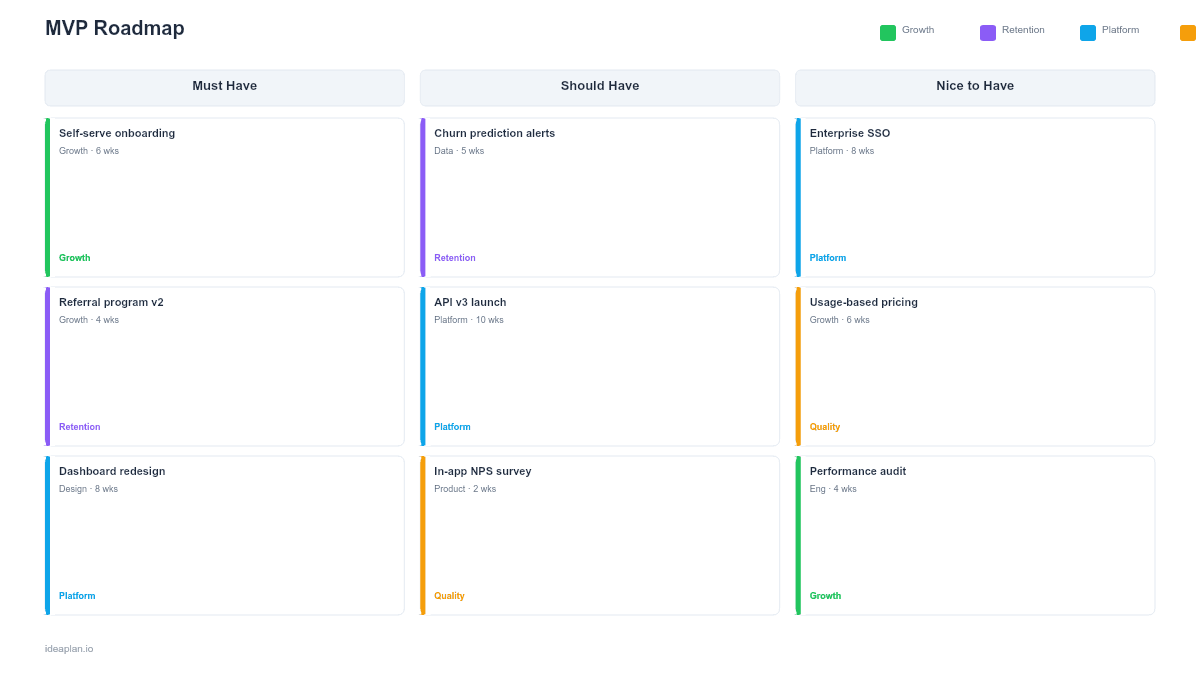
- Feature triage slide. A four-column MoSCoW grid for sorting every candidate feature into Must-Have, Should-Have, Could-Have, and Won't-Have.
- MVP scope slide. The final feature set with effort estimates, owners, and a phase timeline showing what ships in each release.
- Success criteria slide. Key metrics that define whether the MVP validated the hypothesis, with targets and measurement methods.
Why PowerPoint for MVP Planning
MVP scoping is a cross-functional exercise. PowerPoint works because every stakeholder. From engineers to executives. Can open, comment on, and present from the same file without learning a new tool. The slide format also forces conciseness: if your MVP scope cannot fit on a single slide, you are probably building too much.
Template Structure
The template follows a narrative arc designed for stakeholder alignment meetings.
Slide 1. Problem Frame. State the user problem in one sentence and the hypothesis your MVP tests. This prevents scope creep by anchoring every feature decision to the original bet.
Slide 2. Feature Triage. The MoSCoW grid separates features by necessity. Must-Haves are the features without which the product cannot test the hypothesis. Should-Haves improve the experience but are not blocking. Could-Haves are nice additions. Won't-Haves are explicitly out of scope. Listing them prevents re-litigation later.
Slide 3. MVP Scope and Phases. The shortlisted Must-Have features organized into delivery phases. Phase 1 is the thinnest slice that can reach users. Phase 2 adds the Should-Haves based on Phase 1 feedback.
Slide 4. Success Criteria. Define two to four metrics that tell you whether the MVP worked. Link these to your north star metric so the team connects MVP outcomes to business goals.
How to Use This Template
1. Define the hypothesis
Write one sentence: "We believe [user segment] will [behavior] if we build [feature set], and we will know this is true when [metric] reaches [target]." This sentence drives every scoping decision that follows.
2. List all candidate features
Pull from your backlog, customer interviews, and discovery work. Include everything. The triage step handles prioritization. Aim for 15-30 candidates.
3. Run the MoSCoW triage
Score each feature against the hypothesis. If removing a feature means you cannot test the hypothesis, it is a Must-Have. Everything else sorts into the remaining columns. Use the RICE Calculator if you need numeric scoring to break ties.
4. Set success criteria and share
Define metrics, targets, and a measurement timeline. Then walk stakeholders through the deck in a 30-minute review. The explicit Won't-Have list prevents the most common source of MVP scope creep: "Can we just add one more thing?"
When to Use This Template
MVP roadmaps are most useful at the start of a new product, a major new feature area, or a pivot. Use this template when:
- You are launching a new product and need to ship the smallest version that tests your riskiest assumption
- Scope keeps growing and the team needs a framework to say no to features that do not serve the core hypothesis
- Stakeholders want a timeline but engineering capacity is limited. The phased structure shows what comes first and what waits
- You need executive sign-off on a focused scope before committing engineering resources
For ongoing feature planning after your MVP ships, move to a now-next-later roadmap or a quarterly roadmap.
Key Takeaways
- Every MVP feature must directly serve the core hypothesis. If it does not help you test the bet, it does not ship in V1.
- The MoSCoW method gives you a repeatable framework for sorting features by necessity rather than preference.
- An explicit Won't-Have list prevents scope creep by showing stakeholders that exclusions were deliberate, not accidental.
- Define two to four success metrics before building so the team agrees on what "validated" means.
- Phase your delivery: ship the thinnest slice first, then layer in Should-Haves based on real user feedback.
- Compatible with Google Slides, Keynote, and LibreOffice Impress. Upload the
.pptxto Google Drive to edit collaboratively in your browser.